|

Buy Support
Incidents |
|
If you can't find your answer
in the FREE PUBLIC QDeveloper Forum, require URGENT Priority Support, or you need to send us
private or confidential information: |
|
Click Here
|
If you can't
login and post questions or you are having trouble viewing forum posts:
Click Here
|
Callback
Support |
|
If you live in USA, UK, Canada, Australia or New
Zealand, you can leave us details on your question and request us to call you back and discuss
them with you personally (charges apply). |
|
Click Here
|
Buy Support
Incidents |
|
If you can't find your answer
in the FREE PUBLIC QDeveloper Forum, require URGENT Priority Support, or you need to send us
private or confidential information: |
|
Click Here
|
|
| Table Documentation links are broken |
| Author |
Message |
|
|
| Posted : 2007-07-14 08:15:09 |
|
|
|
| Tom |
 |
| Group | : Administrator |
| Posts | : 5510 |
| Joined | : 2006-02-17 |
|
| Profile |
|
| Posted : 2007-07-14 09:39:47 |
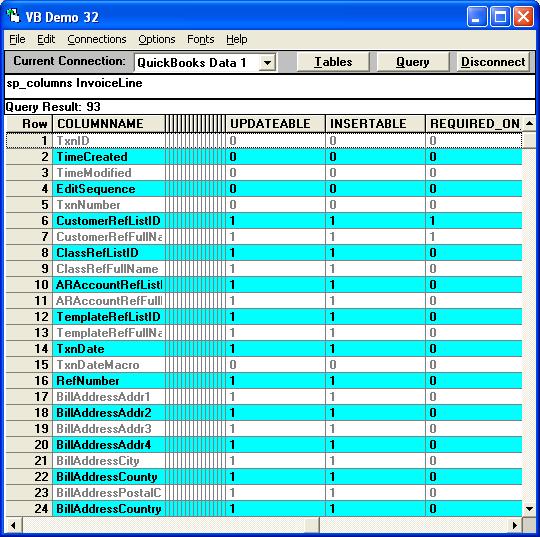
The Schema doc you are looking at has already been updated for the USA version of QuickBooks 2007 and QODBC v7. The doc also has a lot of errors and now shows many QuickBooks 2007 only features that don't even work with the USA version of QuickBooks 2006, you should always use the SP_COLUMNS tablename stored procedure command in VB Demo to get the EXACT table schema rules for the QuickBooks Company file you have open. The last few columns have Queryable, Updateable, Insertable, Required_On_Insert and the format ie:-
sp_columns TableName
See also: How do I use the VB Demo for testing? |
|
|
|
|