| Linking tables to MSA07 produces "#Deleted" data in fields |
| Author |
Message |
|
|
| Posted : 2007-08-10 06:17:57 |
Linking tables when using newest QODBC, MSA07 and QB07 (Can) produces limited proper returns in the fields and numerous "#Deleted" returns. Running optimizer and re-linking had no positive affect. Is this simply a default Access setting that needs to be changed or a QODBC setting? Id prefer to remain with the linked table option and not get involved with pass through sql. |
|
|
|
| Tom |
 |
| Group | : Administrator |
| Posts | : 5510 |
| Joined | : 2006-02-17 |
|
| Profile |
|
| Posted : 2007-08-10 11:04:25 |
I updated QODBC to v7.1.0.230 on my MS Windows Vista with MS Access 2007 notebook, opened up a previous file and all is working fine here.
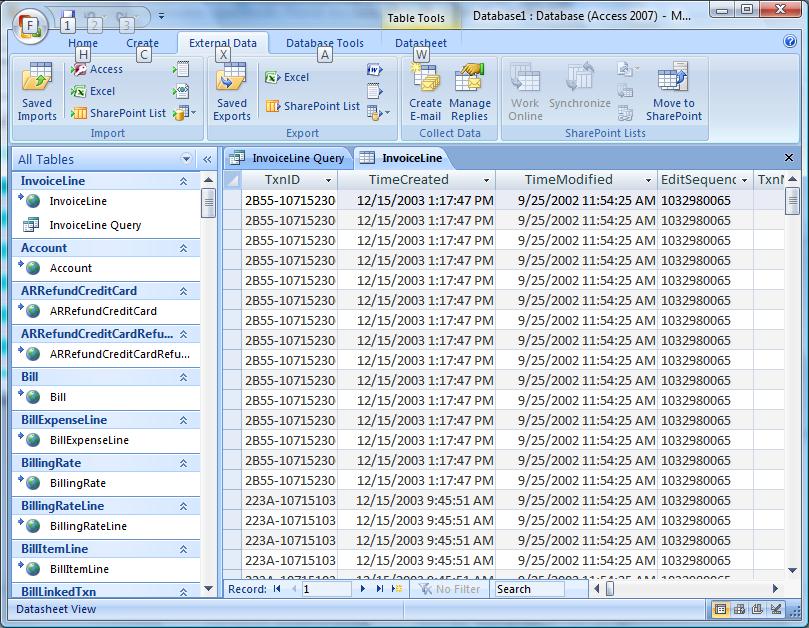
Make sure your copy of QODBC is licensed for QuickBooks 2007 (see the about tab in the QODBC Setup Screen) and try unlinking all the tables and relinking them. |
|
|
|
|
|
| Posted : 2007-08-10 22:56:23 |
Thanks,
Where do I get QODBC v7.1.0.230 ?
The downloads section of the QODBC site shows v7.0.0.214 as the latest available version.. forr trial anyway. |
|
|
|
| Tom |
| |
| Group | : Administrator |
| Posts | : 5510 |
| Joined | : 2006-02-17 |
|
| Profile |
|
| Posted : 2007-08-10 23:18:44 |
|
|
|
|
|
| Posted : 2007-08-10 23:54:31 |
Your link advertises a newer version but still downloads v.7.0.0.214
Downloaded twice.. checked metadata .. installed and checked version info.. all say v.7.00.00.214 |
|
|
|
| Tom |
| |
| Group | : Administrator |
| Posts | : 5510 |
| Joined | : 2006-02-17 |
|
| Profile |
|
| Posted : 2007-08-11 08:13:36 |
It appears FLEXquarters.com LLC have temporarily withdrawn QODBC v7.1.0.230 due to a major bug I advised then about yesterday. Hopefully it's back in the next few days.
I don't have trouble linking QODBC v7.0.0.214 with MS Access 2007 either, so instead of all this could you state what table, what columns you are having problems with?
Apart from BillToPay when running unoptimized, they should be fine. |
|
|
|
|
|
| Posted : 2007-08-11 21:31:14 |
All tables seem to show this. but have not looked closely.
Most concerned with "customers" table which definitely shows the pattern of one good record (entire row) followed by several "#Delelted" (entire row) records, then another good row, and so on.
I'm using XP64 also, incase that is an issue.
I can successfully impost data into Access07 and Excel07. This error only occurs when linking tables in Access07. |
|
|
|
| Tom |
| |
| Group | : Administrator |
| Posts | : 5510 |
| Joined | : 2006-02-17 |
|
| Profile |
|
| Posted : 2007-08-11 23:30:21 |
| We don't support any 64 bit Operating Systems at this stage. |
|
|
|
