Member Login

Username
Password
Forget Password
New Sign Up
Search Forum

Buy Support
Incidents

If you can't find your answer in the FREE PUBLIC QDeveloper Forum, require URGENT Priority Support, or you need to send us private or confidential information:

Click Here
If you can't login and post questions or you are having trouble viewing forum posts:
Click Here
Callback
Support

If you live in USA, UK, Canada, Australia or New Zealand, you can leave us details on your question and request us to call you back and discuss them with you personally  (charges apply).

Click Here
 
Buy Support
Incidents
If you can't find your answer in the FREE PUBLIC QDeveloper Forum, require URGENT Priority Support, or you need to send us private or confidential information:
Click Here

Forum : Price ChangeSearch Forum

Forum Home > QODBC - ODBC Driver for QuickBooks > QODBC v7 Forum

 New Topic 
 
 Post Reply 
[1]  
 Price Change 
 Author   Message 
  MacTorvald 
  
 Group: Members 
 Posts: 29 
 Joined: 2007-08-22 
 Profile
 Posted : 2007-08-22 00:31:38

I need to change the price for different products based on the classifications (subitem of) each product. Is that possible?

Example: Change the price of all the Laptops by increasing 6% from the cost. Change all the printers by 8%. Or even change subitems of subitems... Change Epson printer by increasing 4% change HP printers by 10%.


  Top 
  Tom 
  6c3c1_sdk-qodbc.gif
 Group: Administrator 
 Posts: 5510 
 Joined: 2006-02-17 
 Profile
 Posted : 2007-08-22 11:21:03

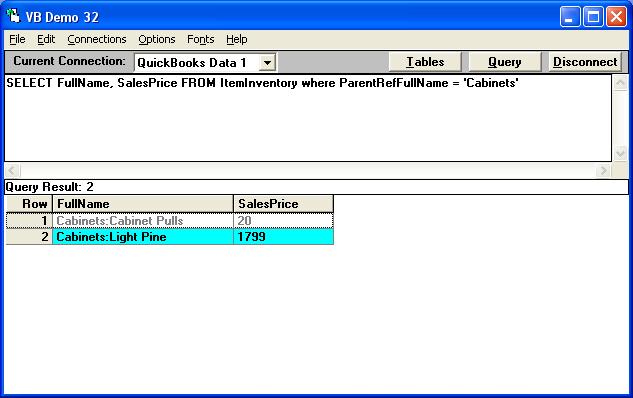
Yes you can update multiple items based on whether it's a subitem. For example for all subitems of Cabinets :-

SELECT FullName, SalesPrice FROM ItemInventory where ParentRefFullName = 'Cabinets'
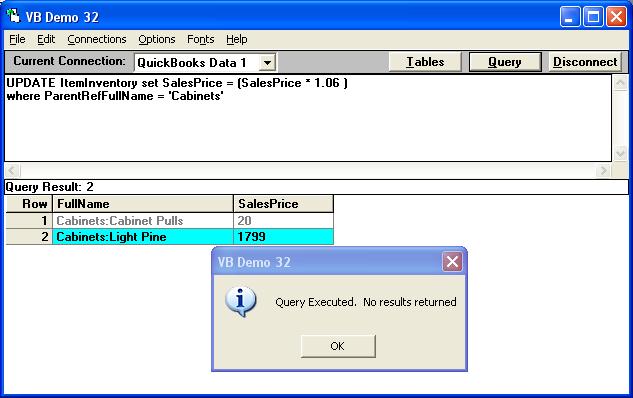
I would run the following UPDATE statement to increase the price by 6% :

UPDATE ItemInventory set SalesPrice = (SalesPrice * 1.06 )
where ParentRefFullName = 'Cabinets'
And the Sales Price is increased:

SELECT FullName, SalesPrice FROM ItemInventory VERIFY where ParentRefFullName = 'Cabinets'
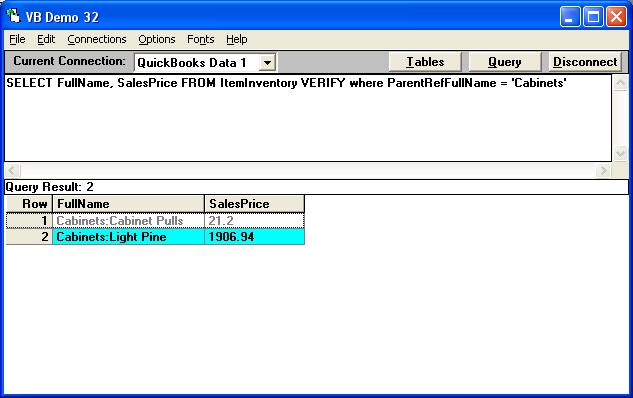
Note: I used the VERIFY tag here to force a reload of the new prices into the optimized table. Use the VERIFY tag only if you don't see the price change.


  Top 
 New Topic 
 
 Post Reply 
[1]  

Jump to

