|

Buy Support
Incidents |
|
If you can't find your answer
in the FREE PUBLIC QDeveloper Forum, require URGENT Priority Support, or you need to send us
private or confidential information: |
|
Click Here
|
If you can't
login and post questions or you are having trouble viewing forum posts:
Click Here
|
Callback
Support |
|
If you live in USA, UK, Canada, Australia or New
Zealand, you can leave us details on your question and request us to call you back and discuss
them with you personally (charges apply). |
|
Click Here
|
Buy Support
Incidents |
|
If you can't find your answer
in the FREE PUBLIC QDeveloper Forum, require URGENT Priority Support, or you need to send us
private or confidential information: |
|
Click Here
|
|
| Remote Connector turns off on log-off |
| Author |
Message |
|
|
| Posted : 2007-06-27 03:16:21 |
|
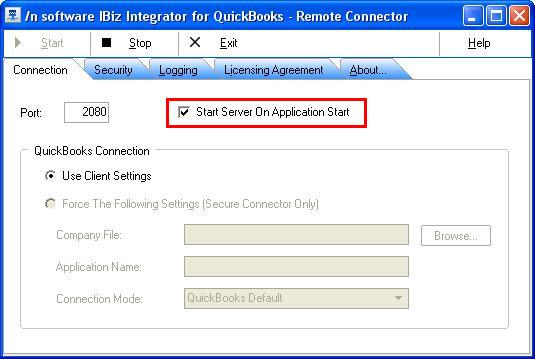
I have installed the QODBC (Server edition) driver on Windows 2003 Server. I connect to the Server remotely: whenever I log off from my server, the remote connector turns off despite having selected "Start Server on Application Start". How can I ensure that the connector stays ON even after I have logged off from the server?
|
|
|
|
| Tom |
 |
| Group | : Administrator |
| Posts | : 5510 |
| Joined | : 2006-02-17 |
|
| Profile |
|
| Posted : 2007-06-27 09:23:19 |
You need to be logged into the server console at all times for the iBiz Integrator to work. The IBiz connector must remain in the system tray. Unfortunately the iBiz Integrator doesn't run as a Windows Service.
|
|
|
|
|