|

Buy Support
Incidents |
|
If you can't find your answer
in the FREE PUBLIC QDeveloper Forum, require URGENT Priority Support, or you need to send us
private or confidential information: |
|
Click Here
|
If you can't
login and post questions or you are having trouble viewing forum posts:
Click Here
|
Callback
Support |
|
If you live in USA, UK, Canada, Australia or New
Zealand, you can leave us details on your question and request us to call you back and discuss
them with you personally (charges apply). |
|
Click Here
|
Buy Support
Incidents |
|
If you can't find your answer
in the FREE PUBLIC QDeveloper Forum, require URGENT Priority Support, or you need to send us
private or confidential information: |
|
Click Here
|
|
| Why is the CustomField table always empty? |
| Author |
Message |
| Tom |
 |
| Group | : Administrator |
| Posts | : 5510 |
| Joined | : 2006-02-17 |
|
| Profile |
|
| Posted : 2006-02-21 12:20:21 |
The CustomField table is a insert only table used to insert or update data in Custom Fields directly. It's primary purpose is for updating custom data on tables that cannot be modified like Sales Receipt.
For example, for a Sales Receipt:
INSERT INTO CustomField (OwnerID, Name, TxnType, TxnID, Value) VALUES (‘0’, ‘Spouse”s Name’, ‘SalesReceipt’, ‘3D82-1071533509’, ‘Test Add Of Spouse’)
or for a Customer:
INSERT INTO CustomField ("OwnerID", "Name", "EntityType", "EntityRefListID", "Value") VALUES ('0', 'NDS', 'Customer', 'F380000-1126895679', '400008')
The structure of the CustomField table is:
Column Name Type/Length Format
OwnerID VARCHAR 50 Remarks: Always set to 0
Name VARCHAR 31 Custom Field Name
EntityType VARCHAR 23 “Customer”, “Employee”, “Vendor”,
“OtherName”, “Item”, “Account”
EntityRefListID VARCHAR 36
EntityRefFullName VARCHAR 159
TxnType VARCHAR 23 “Bill”, “BillPaymentCheck”, “BillPaymentCreditCard”,
“Charge”, “Check”, “CreditCardCharge”,
“CreditCardCredit”, “CreditMemo”, “Deposit”,
“Estimate”, “InventoryAdjustment”, “Invoice”,
“ItemReceipt”, “JournalEntry”, “PurchaseOrder”,
“ReceivePayment”, “SalesOrder”, “SalesReceipt”,
“SalesTaxPaymentCheck”, “VendorCredit”
TxnID VARCHAR 36
TxnLineID VARCHAR 36
OtherType VARCHAR 7 “Company”
Value VARCHAR 4095 |
|
|
|
|
|
| Posted : 2006-04-05 04:23:00 |
In the second example where you are inserting a value into the Customer table custom field 'NDS', what does the 'F380000-1126895679' value refer to? Is this the List ID for a particular customer, or is this a more general ID number that refers to the Entity Type 'Customer'?
If the latter, how can I figure out what my List ID is for the Entity Type 'Customer' in my own Quickbooks company?
What I want to do is insert brand new customers into Quickbooks from an Ecommerce table, and when I do the insert, write the Ecommerce customer ID into a custom field in the Customer table. I can't do the insert directly on the customer table because QODBC does not allow inserts to be performed on custom fields in the Customer table. So I thought doing an insert into the CustomField table with the appropriate field specified might be a good work-around. After I write the appropriate ID to the Customer table through the CustomField table, I could perform an update directly on the Customer table to write the rest of the pertinent customer information like name, address, etc.
Any help would be appreciated. Thanks. |
|
|
|
| Tom |
| |
| Group | : Administrator |
| Posts | : 5510 |
| Joined | : 2006-02-17 |
|
| Profile |
|
| Posted : 2006-04-05 08:43:06 |
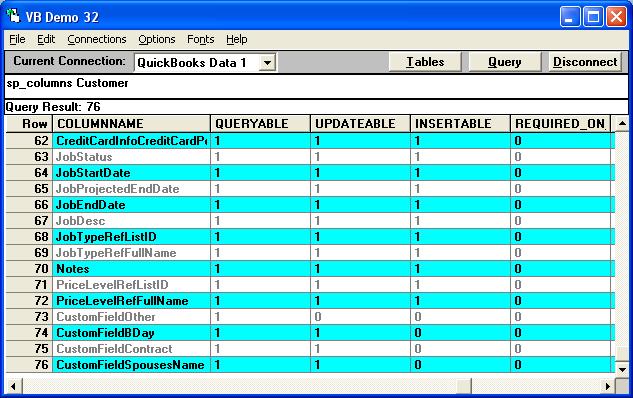
While you can use the CustomField table, here's the more straightforward method of creating a new customer and updating a custom field. Using the Sample Rock Castle Construction example in QuickBooks 2006, if you do a:
sp_columns customer
You will see that the example has the following Custom Fields: CustomFieldBDay, CustomFieldContract and CustomFieldSpousesName. The only limitation is that we can't insert them in an insert, but updates are not a problem!
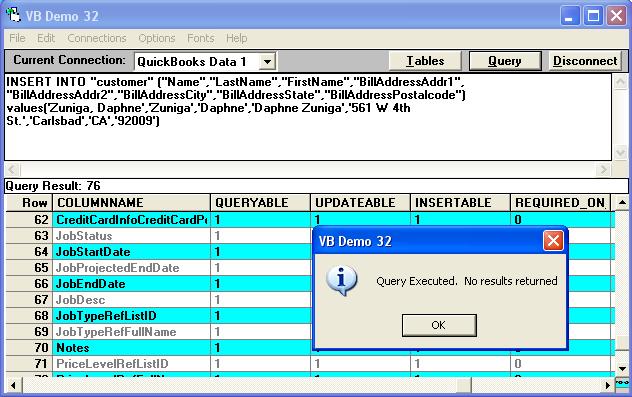
To create a new customer, you can use a format similar to this:
INSERT INTO "customer" ("Name","LastName","FirstName","BillAddressAddr1",
"BillAddressAddr2","BillAddressCity","BillAddressState","BillAddressPostalcode")
values('Zuniga, Daphne','Zuniga','Daphne','Daphne Zuniga','561 W 4th
St.','Carlsbad','CA','92009')
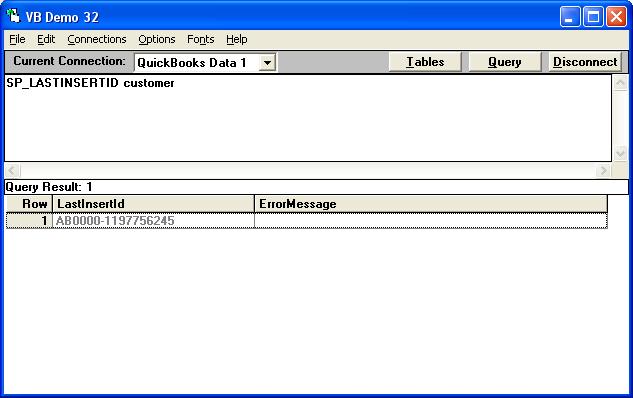
To find the ListID of our new Customer just created we run the stored procedure:
SP_LASTINSERTID customer
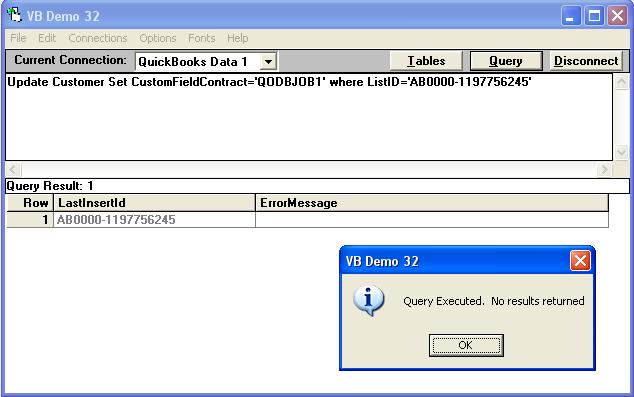
Now that we have the ListID for our new customer, we can simply update the Custom Field Contract with the contract number by doing:
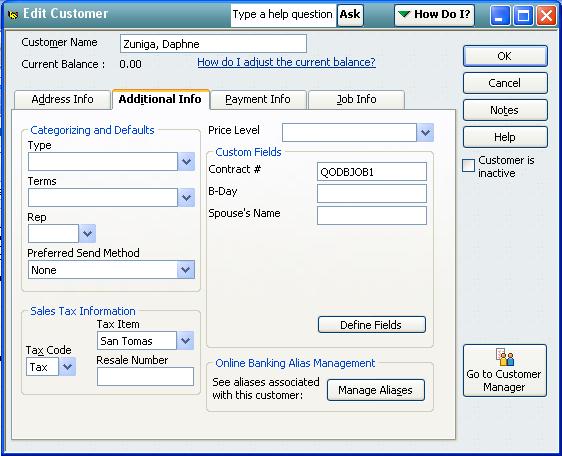
Update Customer Set CustomFieldContract='QODBCJOB1' where ListID='AB0000-1197756245'
And there you have it! To check that everything actually worked just do:
Select ListID, Name, FullName, CustomFieldContract from Customer where ListID='AB0000-1197756245'
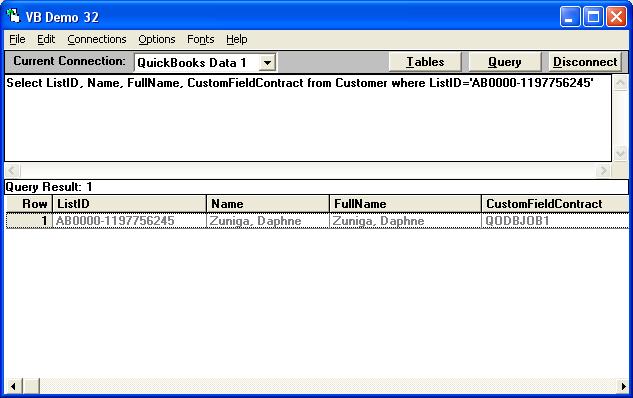
Still don't believe it's that simple? Let's look inside QuickBooks ..... Wow!
|
|
|
|
| Rob |
| |
| Group | : Members |
| Posts | : 23 |
| Joined | : 2006-06-29 |
|
| Profile |
|
| Posted : 2006-11-29 07:49:58 |
Is it possible to insert Customfiled in QBOE. I tried to do this but was given an error. Error 3120. I have a custom field setup in the UI named "Rep" for sales representative. The following is my SQL.
INSERT INTO CustomField (OwnerID, Name,TxnType, TxnID, Value) Values ('0', 'Rep','Invoice', '9583', 'RN') |
|
|
|
| Tom |
| |
| Group | : Administrator |
| Posts | : 5510 |
| Joined | : 2006-02-17 |
|
| Profile |
|
| Posted : 2006-11-29 09:51:22 |
| A lot of operations are not supported by the QuickBooks Online Edition (QBOE). This forum is 99.9% about using the desktop versions of QuickBooks. There's currently a bug in QODBC v7.00.00.199 (and 194) that doesn't allow custom fields to be inserted and updated correctly. You will need to retry using QODBC v7.00.00.201 or later. |
|
|
|
|
|
| Posted : 2006-12-15 05:00:43 |
I've checked the "How can I get the latest version of QODBC? " thread on this forum, but it seems the most recent version as of 2006-12-14 is still v.7.0.0.200. Is there an updated version located somewhere else?
|
|
|
|
| Tom |
| |
| Group | : Administrator |
| Posts | : 5510 |
| Joined | : 2006-02-17 |
|
| Profile |
|
| Posted : 2006-12-15 08:44:40 |
| Progress is being made and a number of critical bugs fixes have been made to Build 201, but it still needs to go through testing before being released. |
|
|
|
| Rob |
| |
| Group | : Members |
| Posts | : 23 |
| Joined | : 2006-06-29 |
|
| Profile |
|
| Posted : 2006-12-21 16:48:09 |
Tom,
I am using version 7.0.0.204 now. Still gives me error 3120. |
|
|
|
|